
This is the last post in the MiseOS development log. The project is in production, the exam is next week, and it’s time to look back at what actually got built and what I learned building it.
What got built#
MiseOS started as a school project and became a system my colleagues use every day in a professional kitchen. That was never the plan. It happened because the domain was real and the problems were real, and solving them properly turned out to be more interesting than building a demo.
The full feature set, as it stands:
Kitchen staff flows
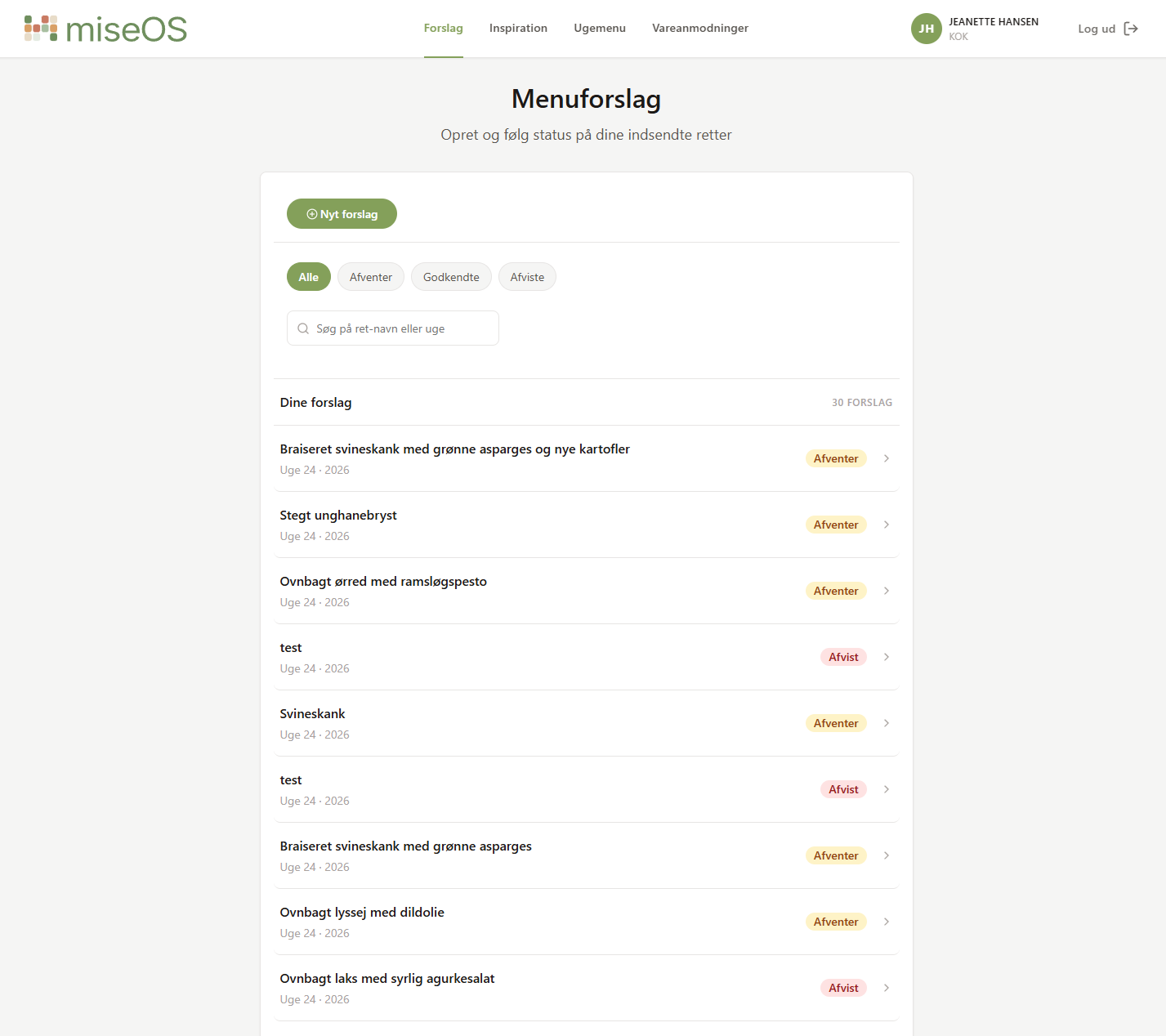
- Dish suggestion workflow — propose a dish, track approval status, receive feedback
- Ingredient requests — request specific items with quantity and note, track status
- Weekly menu view — see the current published menu by day and station
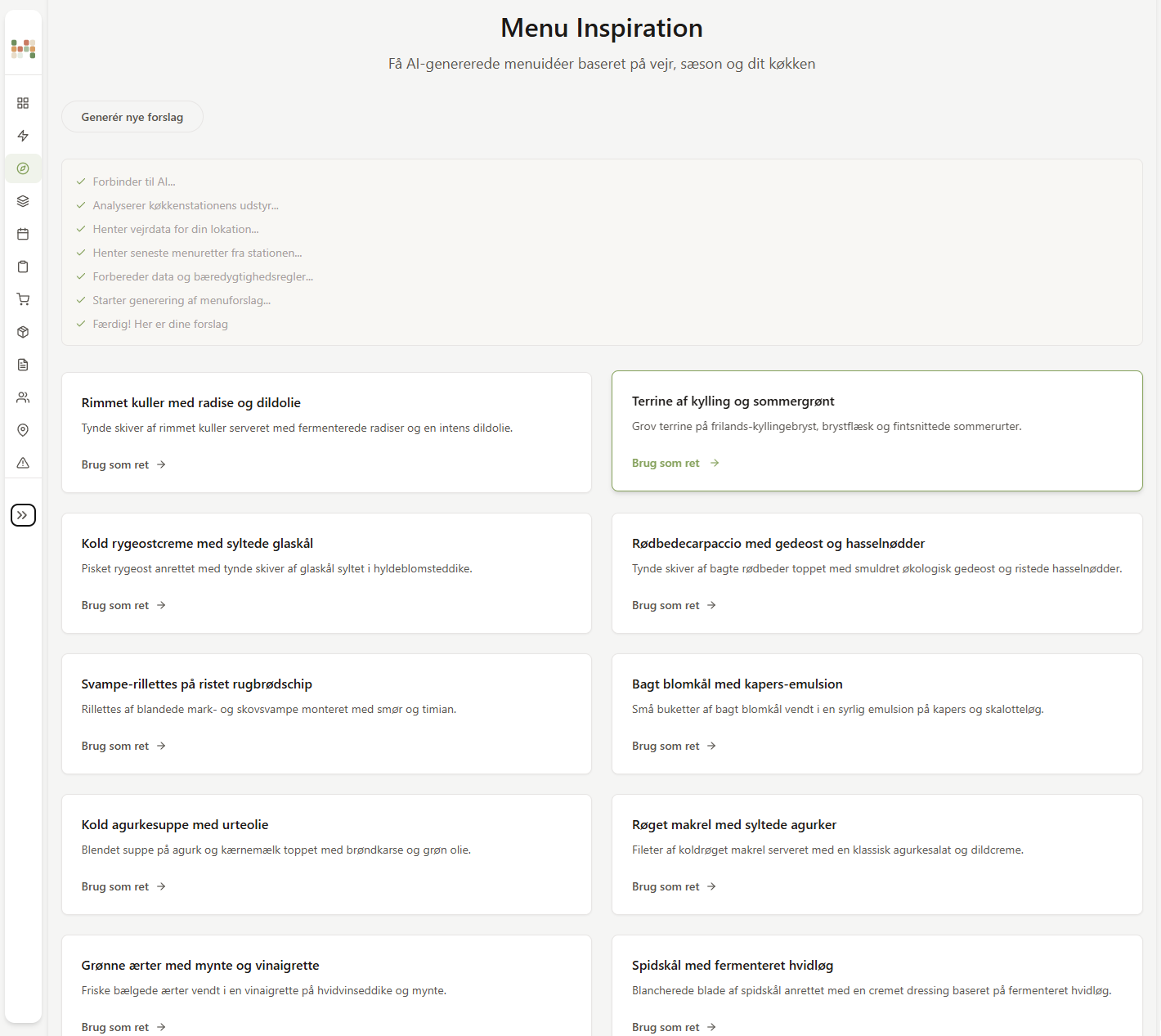
- AI menu inspiration — SSE-streamed dish ideas generated by Gemini via the backend
Admin flows
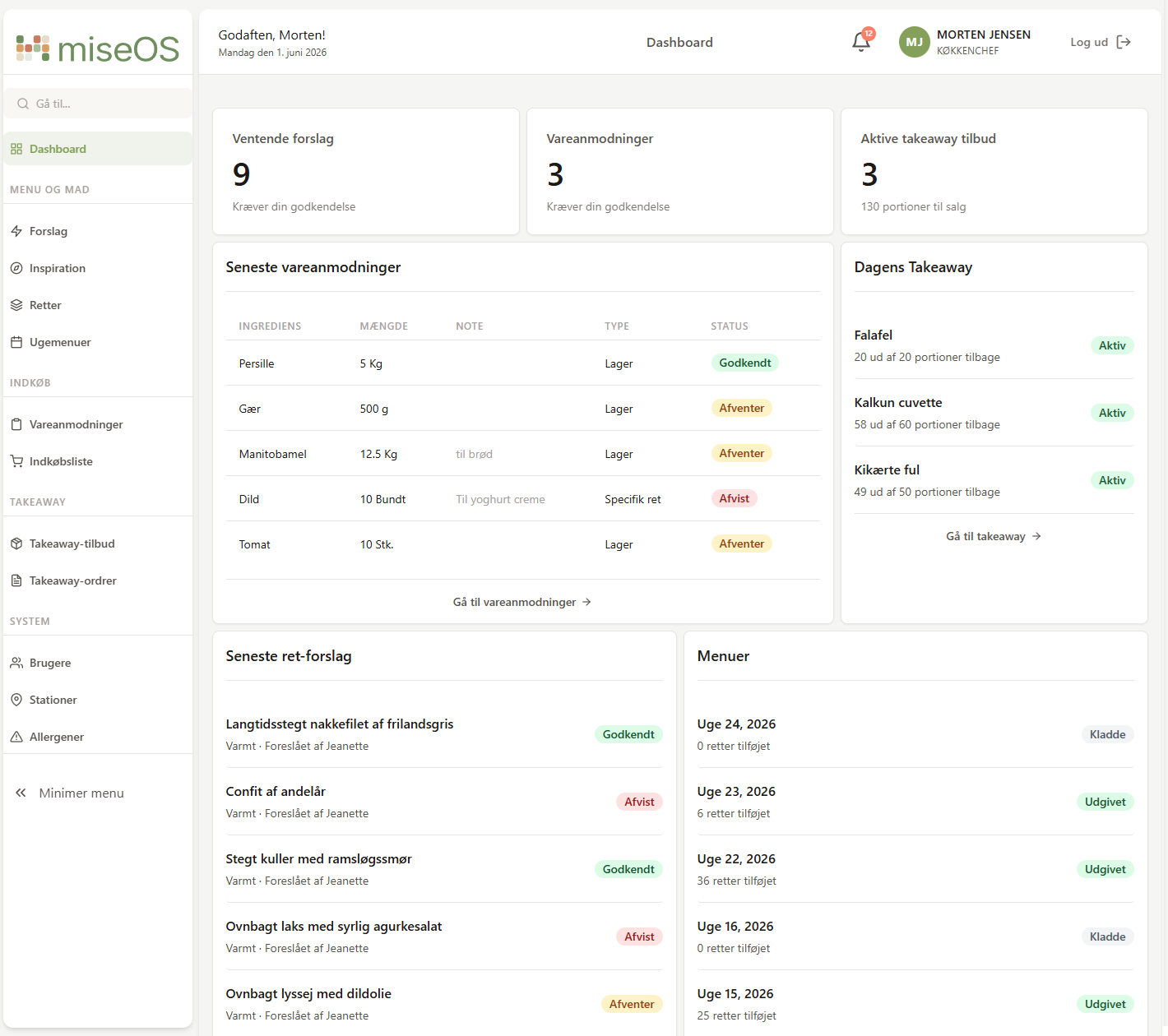
- Dashboard with live counters via WebSocket
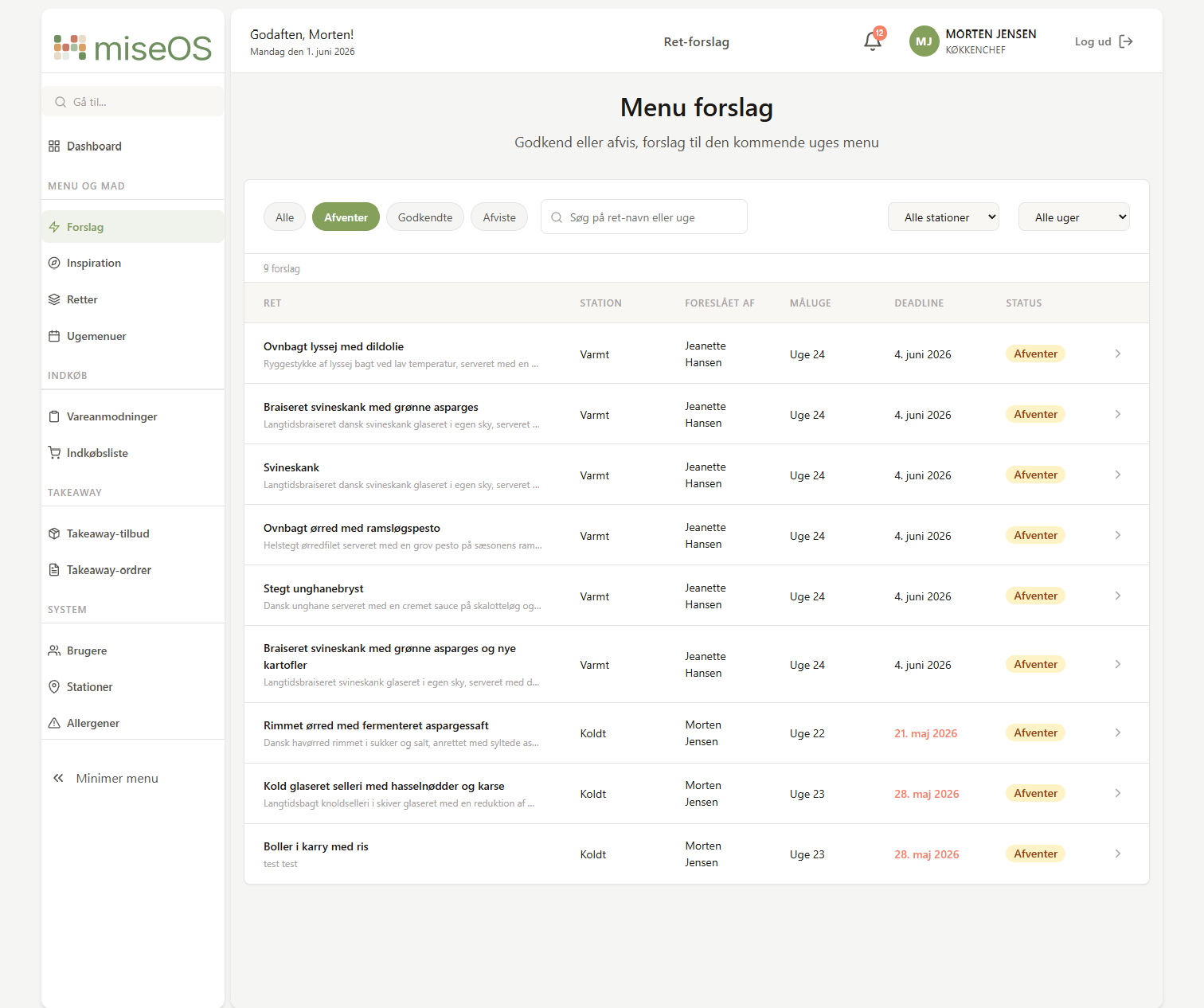
- Dish suggestion management — approve, reject with feedback, edit
- Dish bank — manage all approved dishes across stations
- Weekly menu editor — build and publish the weekly menu slot by slot
- Ingredient request management — approve, reject, coordinate with kitchen
- Shopping list — AI-generated and normalized from approved ingredient requests
- User management — role and station assignment
- Station and allergen management
- Takeaway offers — create daily offers from published menu dishes (in progress)
Public flows
- Weekly menu — visible to guests without login
- Takeaway ordering — browse and order today’s offers (in progress)
Takeaway offers and ordering are still in progress, but the rest of the system is fully functional and in use. Staff use their mobile devices to submit suggestions and requests. The head chef uses the admin dashboard to manage everything.
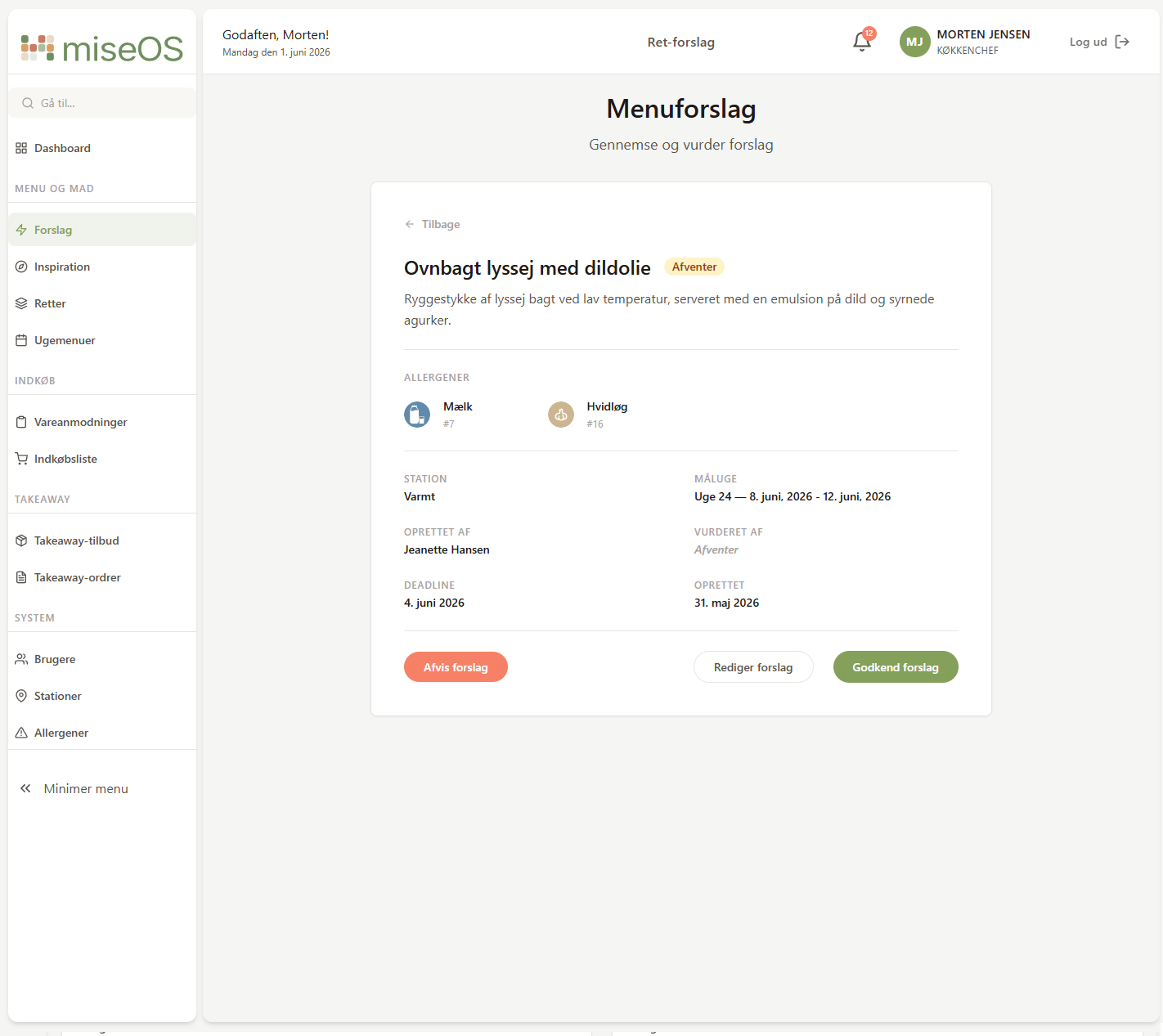
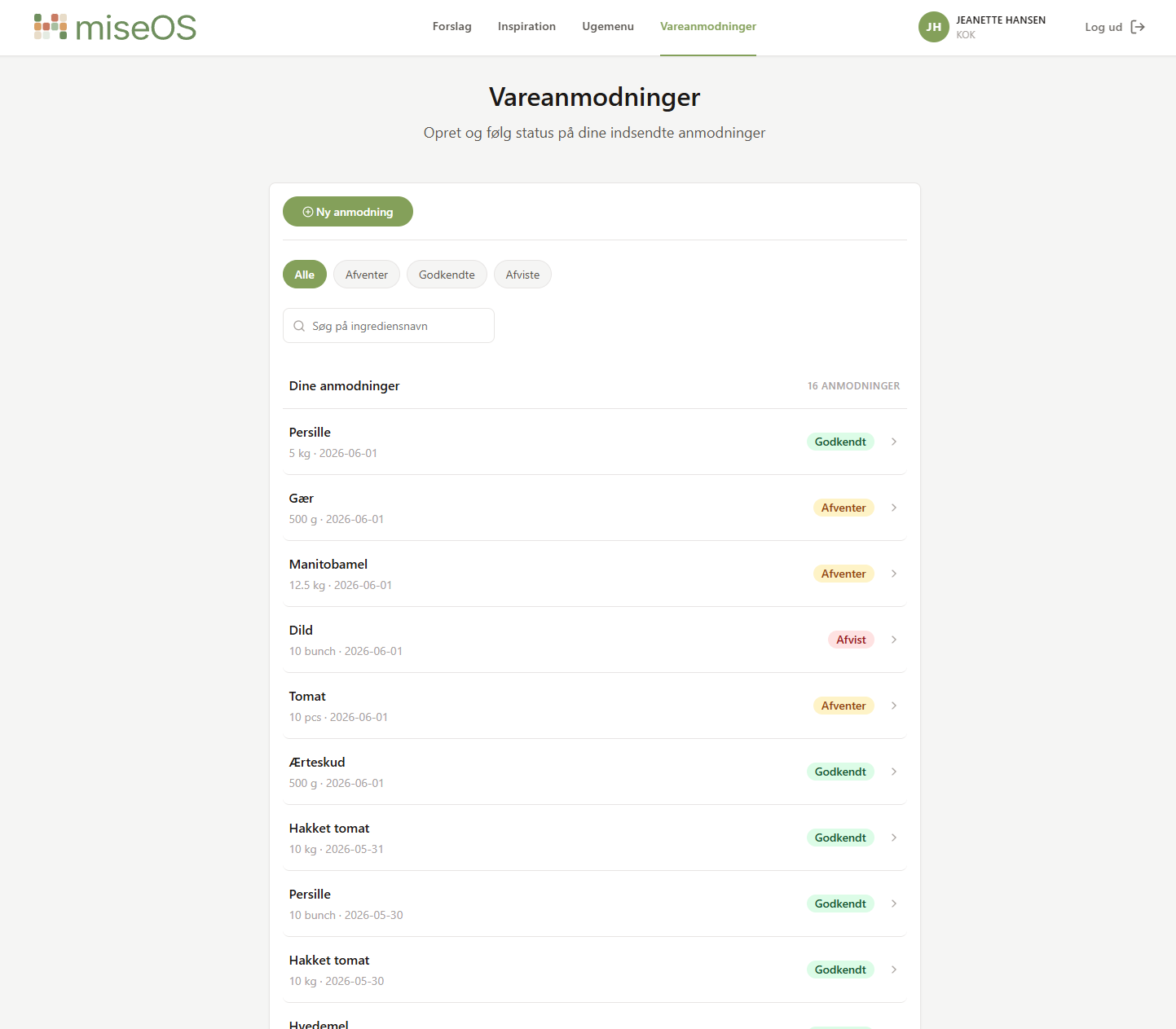
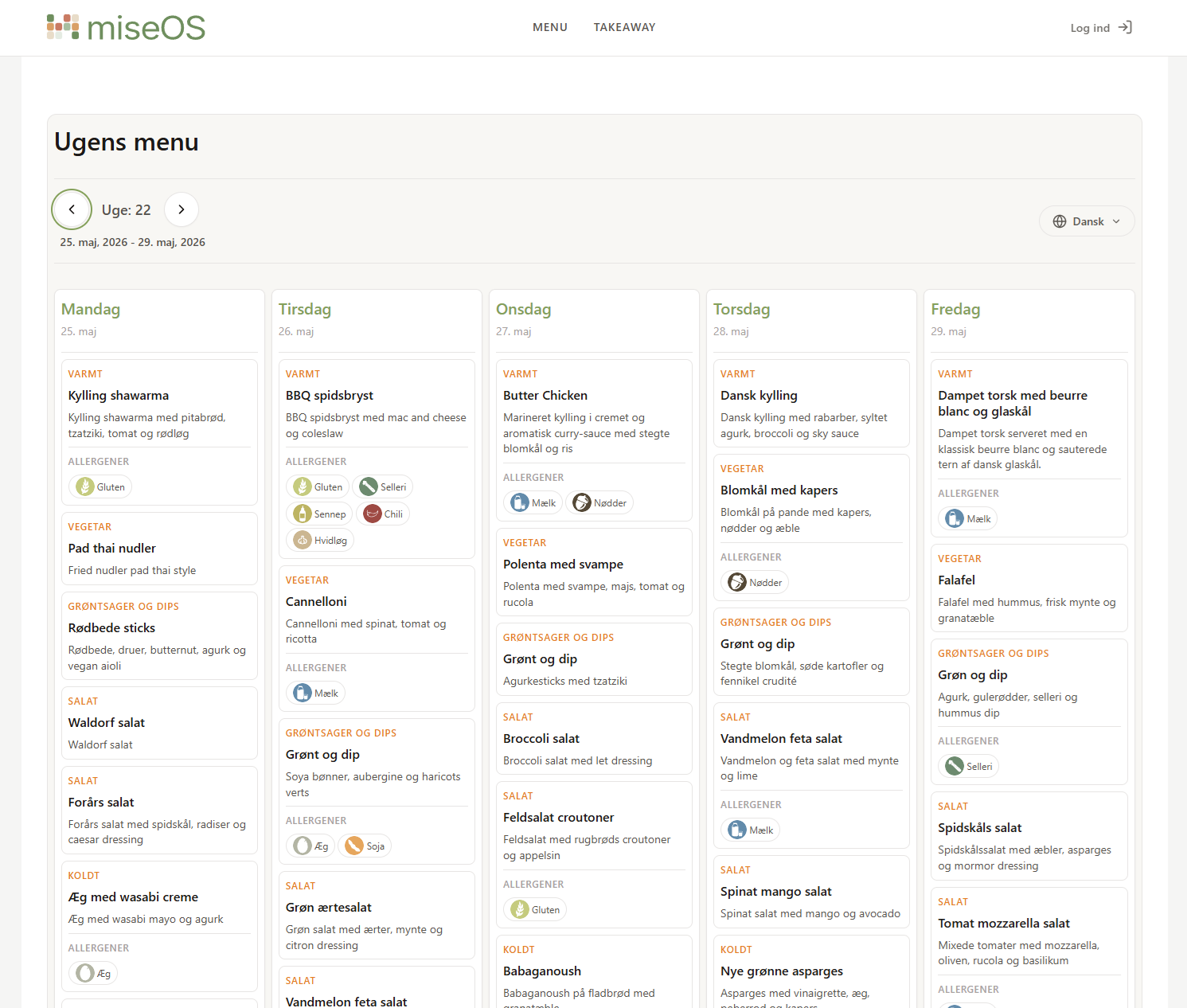
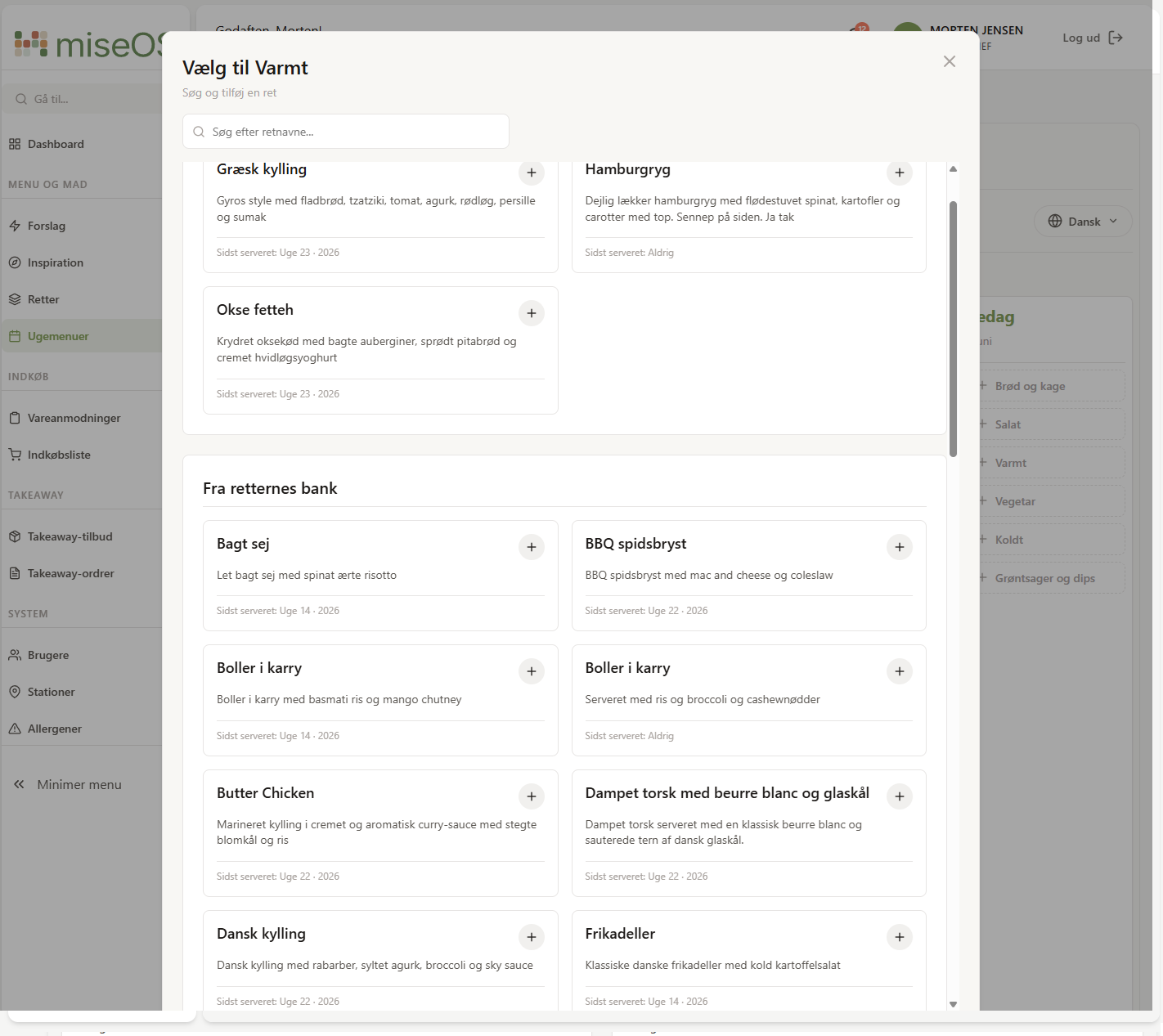
The decisions that shaped the project#
Feature-based architecture. Every feature — dishes, menus, suggestions, ingredient requests — owns its own pages, components, services, and utils. Working on dish suggestions means opening features/suggestions/ and seeing everything relevant in one place. The alternative (all pages together, all services together) forces you to jump between folders to work on a single feature. That friction compounds fast on a project this size.
The decision wasn’t planned from the start. It came after two days of building the public menu and looking at a flat src/components/ folder full of unrelated files. Refactoring to feature-based structure took a few hours. It saved far more than that across the following weeks.
Minimal global state. Three React Contexts, nothing more:
AuthContext— JWT session, 401/403 handling, navigationNotificationContext— global toast messagesRealtimeNotificationsContext— WebSocket-based live counters
Everything else is local component state. The rule was simple: data lives where it’s used. Pages own their fetch logic. Components receive props and fire callbacks. Nothing reaches into a sibling’s state.
This kept the codebase readable. At any point in the project I could open a page component and understand exactly where its data came from and what could change it.
CSS Modules over utility-first. I chose CSS Modules over Tailwind deliberately. The goal was to learn CSS properly and have full control over the design rather than assembling it from utility classes. Global design tokens in :root — colours, spacing, radius, typography — meant consistency across all modules without a preprocessor.
The technically interesting parts#
Realtime with WebSocket. The dashboard shows live counts of pending suggestions and ingredient requests via a WebSocket connection. The interesting part wasn’t the connection — it was deciding what “live” means. The solution was a snapshot model: on connect, the backend sends a complete state snapshot. From there, individual events update specific values. No polling, no full refetch.
SSE streaming and AI. The menu inspiration feature uses Gemini AI via the backend and streams the response as SSE — Server-Sent Events, a one-way HTTP stream. The user sees dish ideas appear in real time rather than waiting for a full response. It’s technically the most satisfying feature in the app and the one colleagues find most useful.
The shopping list also uses AI — but differently. Approved ingredient requests from multiple cooks are sent to the backend, normalised and aggregated by AI into a clean consolidated list for the head chef to review. No streaming here — it’s a single request and response, but the output quality is meaningfully better than a raw list would be.
Building for real users#
The project is deployed and colleagues have been testing it during service. That changed how I thought about almost everything. Real feedback is different from a review comment. When something doesn’t work during service, you hear about it immediately. Error messages, loading states, and empty states stopped being edge cases and became part of the product. Every page handles three states: loading, empty, and error — that sounds obvious until someone is actually waiting for the screen to respond.
What I’d do differently#
TypeScript from the start. Plain JavaScript worked until it didn’t. As services and API response shapes grew, the absence of types became real friction. Tracking down a bug caused by a property name mismatch between what the API returns and what the component expects is the kind of thing TypeScript catches before it runs. Next project starts with TypeScript.
Structured error handling. apiClient.js handles 401 and 403 globally. Feature-specific errors — 409 conflicts, 400 validation failures — are caught ad hoc in each page component. The result is similar error-handling code written slightly differently in a dozen places. A shared error mapper that translates API error shapes into typed exceptions would have made both the code and the debugging more consistent.
A test strategy, early. There are no automated frontend tests. This is the biggest gap in the project. With a production application, the critical flows — login, suggestion creation, menu publishing — deserve integration tests that run on every deploy. I didn’t explore this during the semester, but it’s clearly the next thing to understand properly.
Token storage tradeoffs. The JWT is stored in localStorage, which persists across browser sessions. During the semester we worked with localStorage as the standard approach, but there are tradeoffs worth understanding — sessionStorage, httpOnly cookies, and in-memory storage each represent different security and UX boundaries. It’s an area I’d explore properly on the next project.
What comes next#
Takeaway orders — the customer-facing ordering flow — is built but not fully tested. It works in isolation but hasn’t been through the same verification as the rest of the system. Single-day menu view is the one feature I ran out of time for. The menu editor shows a full week; during service, staff care about today. The data is already there — it would be a filter, not a structural change.
Both are on the list. The codebase stays active after the exam.
Final thoughts#
The most interesting part of this project was turning a real problem into a working system. Starting from a domain I know, translating it into user stories, data models, and a UI that colleagues actually use, is a different kind of challenge than following a spec. The complexity that emerged wasn’t just technical — it was domain complexity. Who can see what, when does a deadline block a submission, what happens when a suggestion is approved and automatically becomes a dish. Getting those rules right required understanding the kitchen workflow before writing a single component.
That is ultimately what the semester was about. Reading the documentation is the easy part — developing a sense for when and why to apply it is what takes a real project.
This is the final post in the MiseOS development log. The full series covers backend development from week 1 through frontend completion — seventeen posts, one semester, one production system.